

Tumorigenesis mechanism overview example
Read a tumorigenesis overview example: progression stages, molecular pathways, the microenvironment and visual checks for your own mechanism figure.
This existing gallery image illustrates a sample-processing story from collection through vesicle preparation and proteomics. Read it as a layout example: the diagram does not establish vesicle identity or validate a laboratory protocol.
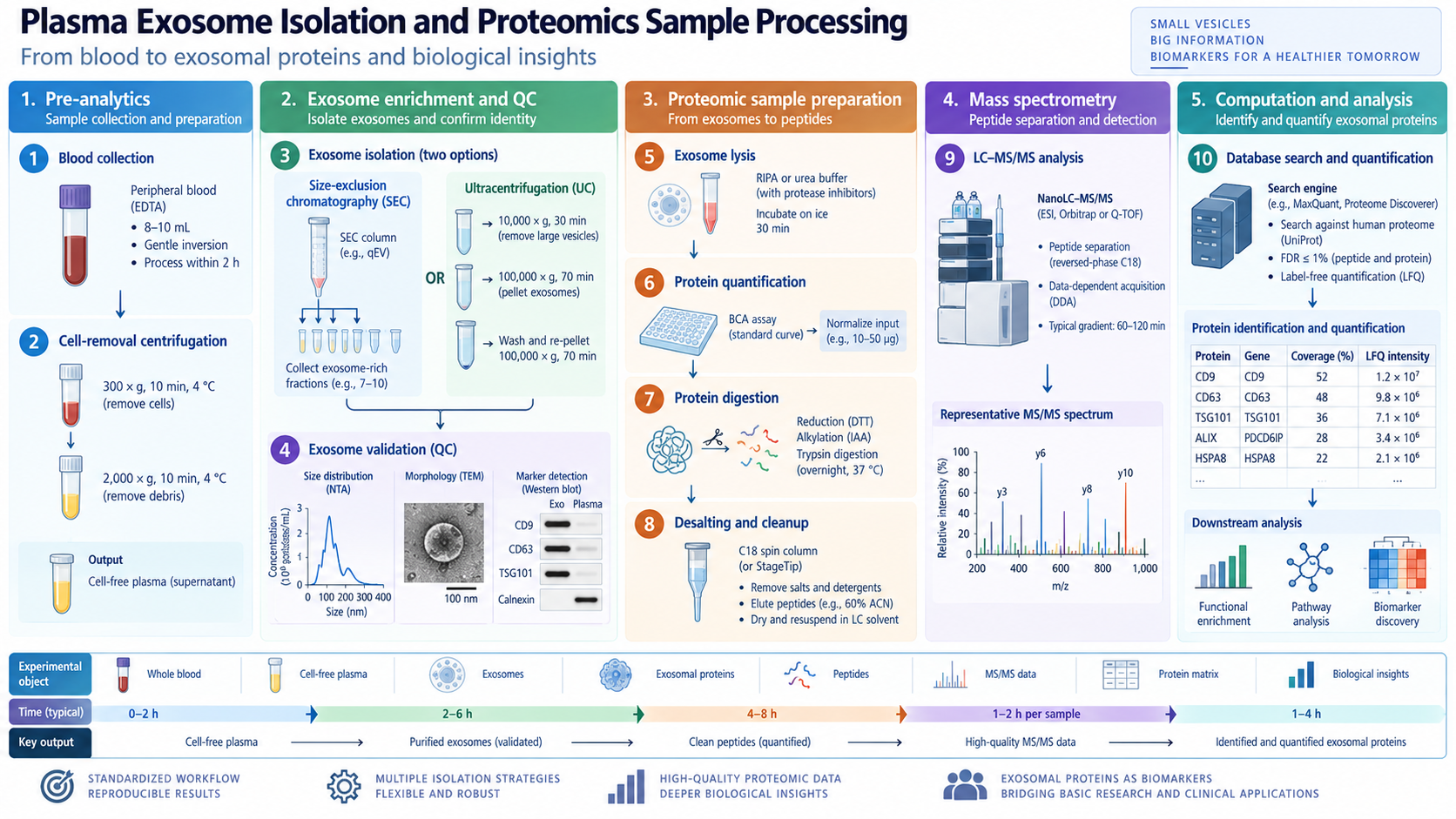
Prepare the actual methods paragraph, sample identifiers, processing sequence, chosen separation method, quality-control steps and analysis outputs. Keep unreported parameters blank.
This teaching prompt is a new starting point for your own material. It is not a record of the prompt that produced the displayed image.
Convert my supplied methods into a sample-processing diagram. Group the steps into collection, vesicle preparation, protein processing and analysis. Show only the separation method actually used; mark any alternative as a separate branch. Preserve sample identifiers and stated parameters. Leave missing values as placeholders and do not infer vesicle identity or analytical results. Add a legend for sample flow and quality-control checks.Start a figure from this example